场景
- 最近遇到使用虚拟机经常遇到暂停的场景,注意:不是关机而是暂停,每次回复虚拟机后,虚拟机的时间总是不同步,而运行的程序又有时间校验,容易出问题,因此恶补了一下时间同步的知识。
安装ntp服务(可选)
windows开启ntp服务
方法1
- 按下 Win + R,输入 services.msc 并回车,打开服务窗口。
- 找到 Windows Time 服务,双击打开属性窗口。
- 将“启动类型”设置为“自动”,点击“启动”按钮,然后点击“确定”保存设置。
方法2
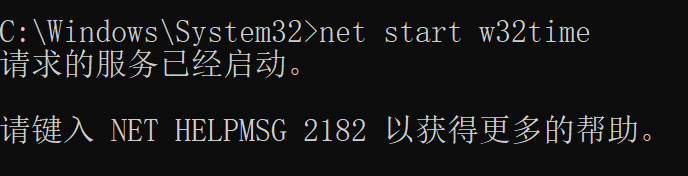
- 使用管理员打开cmd,执行net start w32time命令。
最后
- 最后看看123端口有没有开启即可。

注意事项
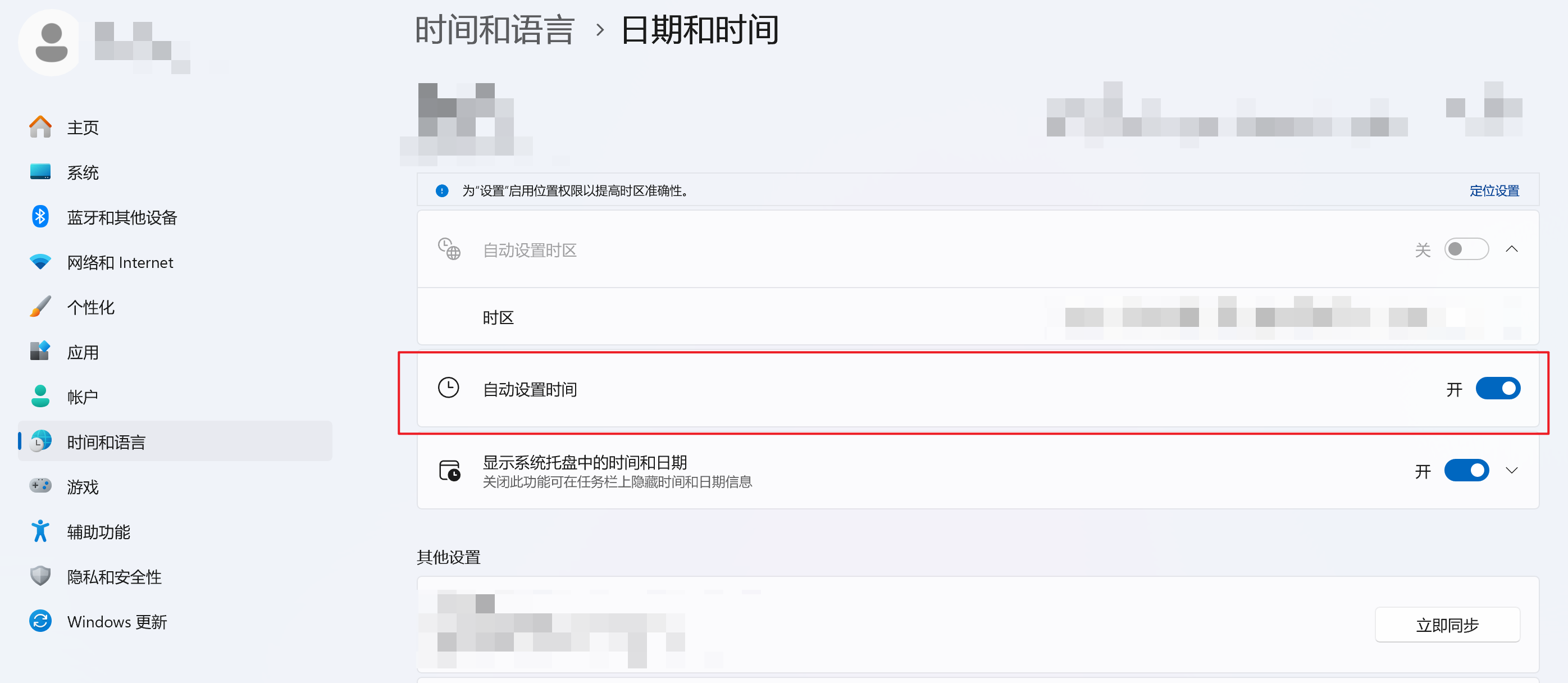
- 如果遇到如下图的错误,打开windows设置,搜索日期和时间,将自动设置时间选项打开。

linux开启ntp服务
- 安装ntp。
# ubuntu/debian
sudo apt install ntp
# centos/redhat
sudo yum install ntp -y- 开启ntp服务
sudo systemctl start ntpd
sudo systemctl enable ntpd
配置ntp服务(可选)
- 修改/etc/ntp.conf文件。
server ntp1.aliyun.com iburst
server ntp1.ntsc.ac.cn iburst
server ntp1.cstnet.cn iburst- 重启ntp服务
sudo systemctl restart ntpd时间同步
常见ntp服务器
| 地址 | 备注 |
|---|---|
| ntp.sjtu.edu.cn | 上海交通大学 |
| ntp.ntsc.ac.cn | 中国科学院国家授时中心 |
| ntp1.aliyun.com | 阿里云 |
| ntp1.tencent.com | 腾讯云 |
| ntp.baidu.com | 百度 |
| time.windows.com | windows |
| ntp.ubuntu.com | Ubuntu Linux社区 |
ntpdate同步时间
# 同步时间
ntpdate ntp.sjtu.edu.cn
# 调试但不更新时间
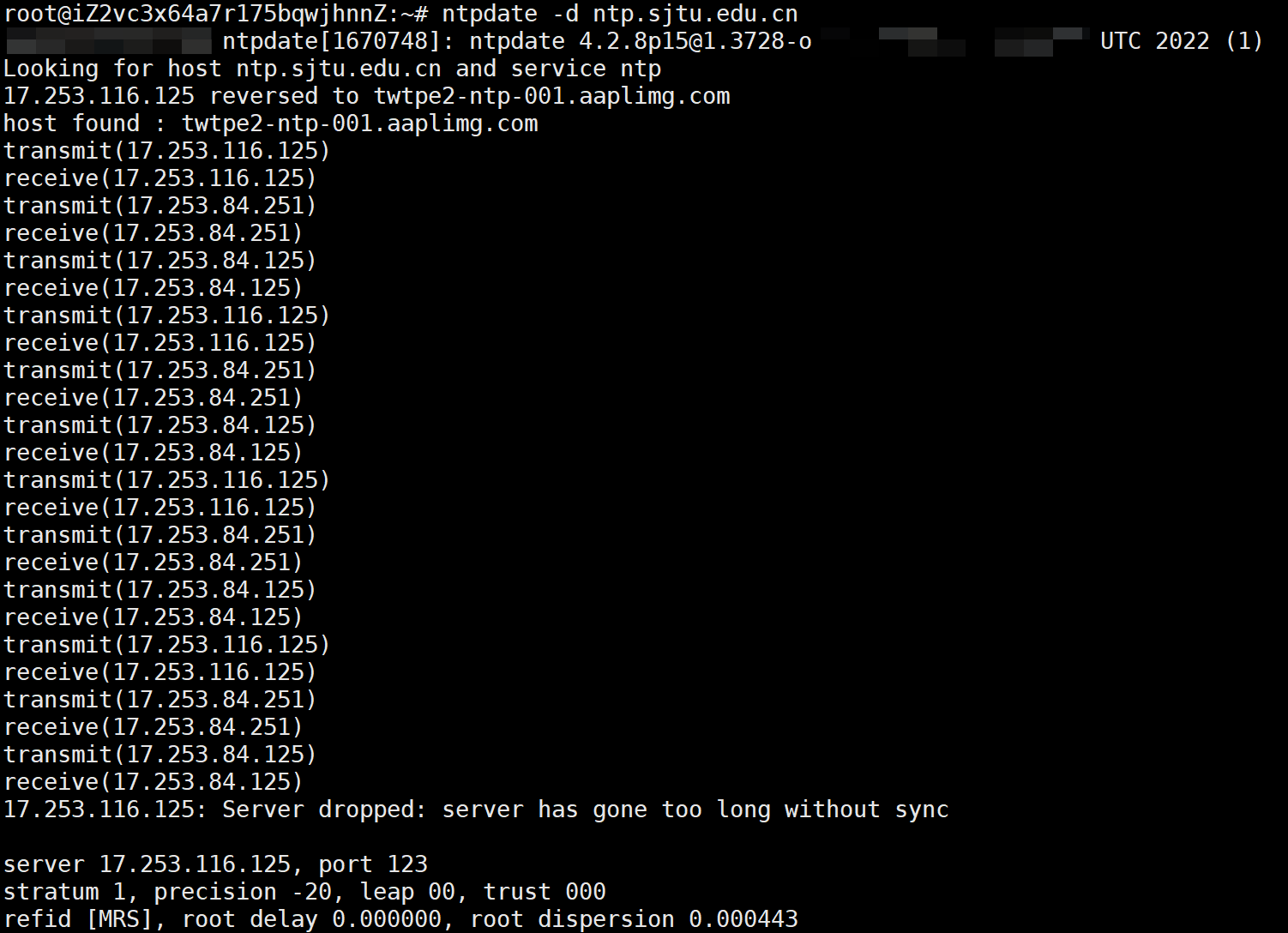
ntpdate -d ntp.sjtu.edu.cn
# 仅显示时间差而不进行同步
ntpdate -q ntp.sjtu.edu.cn

chrony同步时间
安装
# centos
sudo yum -y install chrony
# ubuntu
sudo apt install chrony
启动
sudo systemctl start chronyd
sudo systemctl enable chronyd
查看时间源
chronyc sources -v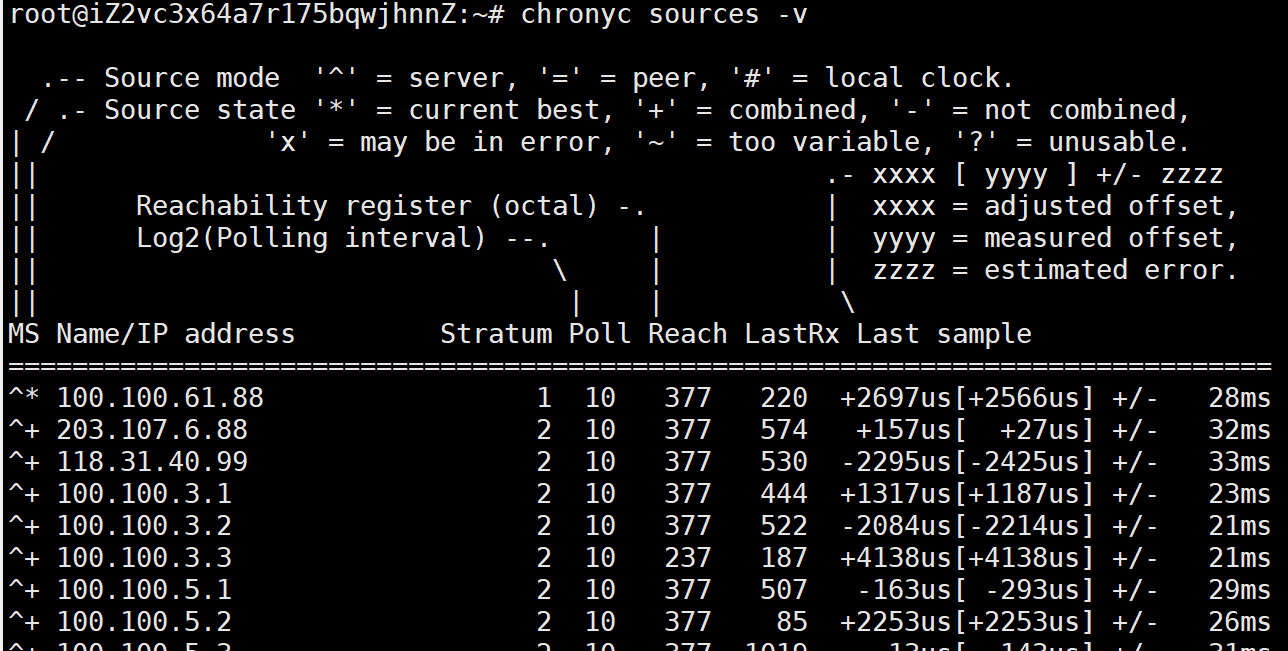
修改时间源
- 编辑
/etc/chrony/chrony.conf(ubuntu)或者/etc/chrony.conf(centos)文件。
# 添加
server ntp.sjtu.edu.cn iburst- 重启chrony
sudo systemctl restart chronydhwclock
- 最后发现程序时间校验其实是和本地的硬件时间进行比较。
- 使用
hwclock -s将硬件时间同步到软件时间即可。 - 如果需要将软件时间同步到硬件时间,使用
hwclock -w命令。 - 最后写个time.sh脚本一直挂后台运行就不怕重复操作恢复时间了。
#!/bin/bash
backup_command() {
    hwclock -s
}

while true; do
    backup_command
    sleep 5
done- 最后将脚本挂在后台即可。
chmod +x time.sh
nohup ./time.sh &